Internet helper add-on
Doesn't apply to Bangle.js builds of Gadgetbridge
Bangle.js build of Gadgetbridge can always access to the internet regardless whether the add-on app is installed or not, therefore this section only applies to non-Bangle.js builds of Gadgetbridge.
As a safeguard, standard builds of Gadgebridge can't connect to the internet by default. To bring internet capabilities to Gadgetbridge, you will need to install the separate Internet Helper add-on app on your phone. This will relay all internet requests sent from your gadget to Gadgetbridge app, and then to the add-on app to perform the request.
Installing the Internet Helper add-on app is optional. If it isn't installed, then your gadget won't be able to retrieve data from the internet through your phone since there would be nowhere for Gadgetbridge to forward these requests to. If none of your gadgets relies on internet for a specific feature, then installing the add-on won't provide any use.
Setting up
First, get the latest version of the Internet Helper add-on app, and keep it installed.
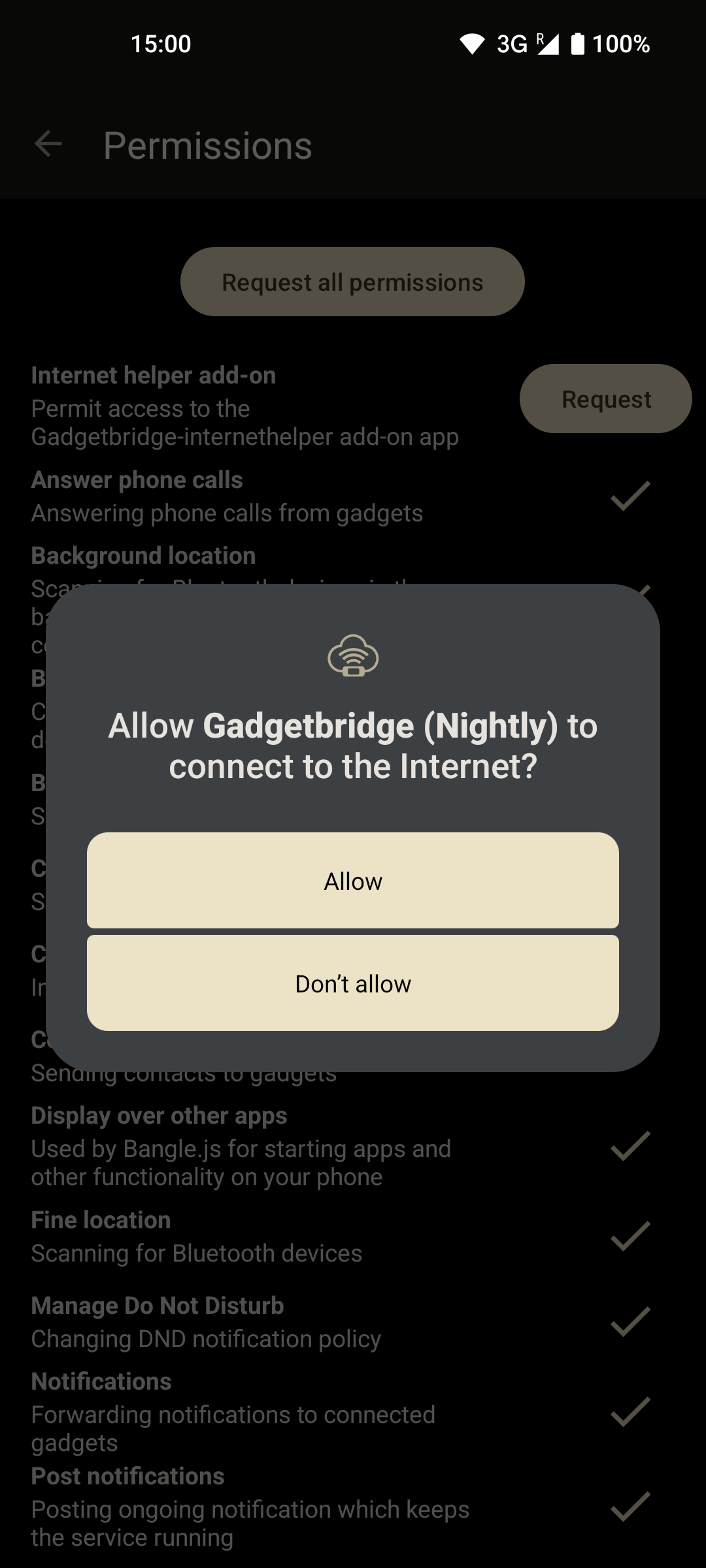
After installing the Internet Helper add-on, open Gadgetbridge.
Gadgetbridge now should ask for a new permission, which is a custom internet permission only provided by the add-on app. Gadgetbridge won't be able to make use of the add-on app unless the permission was given.
If you configured Gadgetbridge earlier to not show the permissions screen at startup, you can go to Android settings and manage permissions of Gadgetbridge app at any time. Since this is a custom permission provided by an app, it is found under " Additional permissions" in Android app permissions. This way, you can also deny the permission even after allowing once, same like in other standard Android permissions.
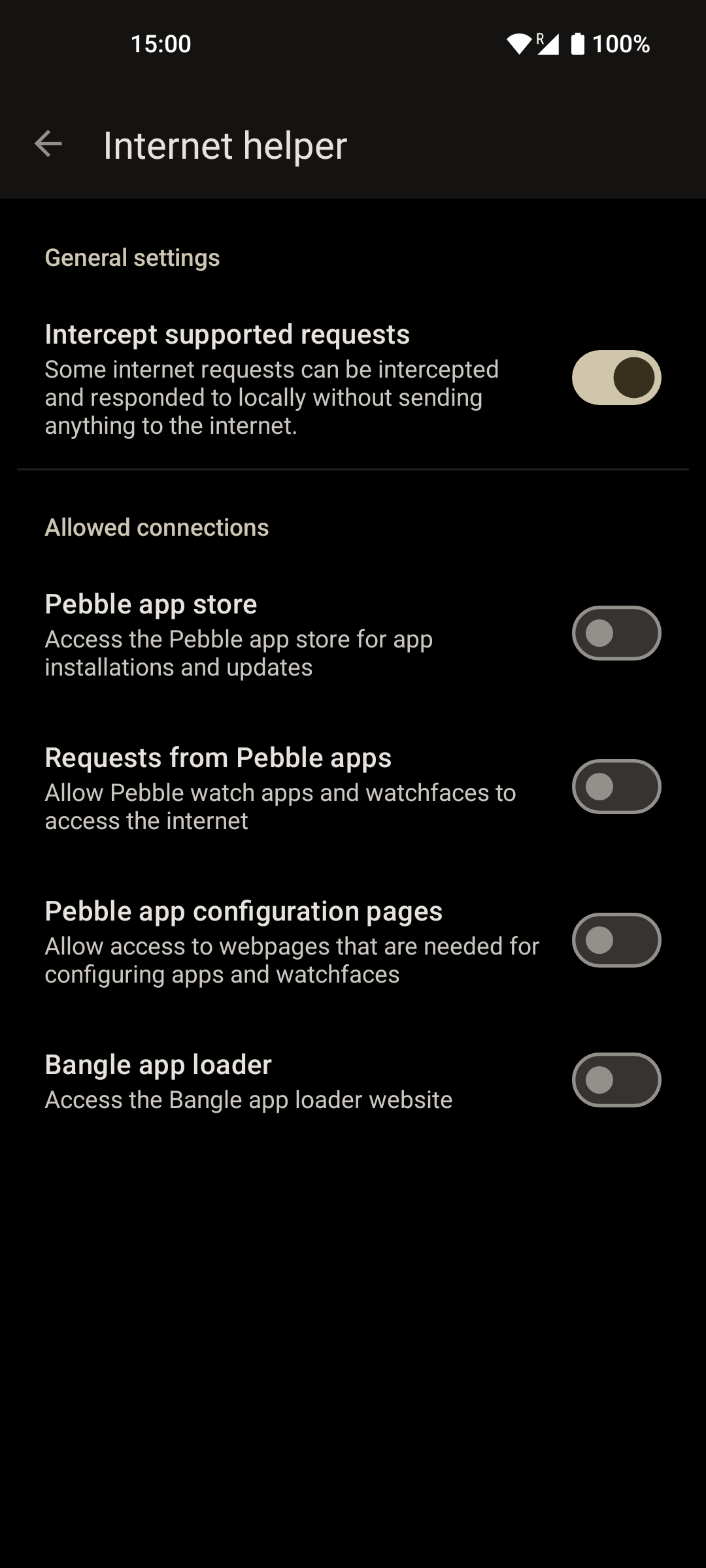
Settings for the internet access are managed through Gadgetbridge.
To do that, go to " Settings → External Integrations → Internet helper". Then, you can configure which connections are allowed be made when needed.
The Intercept supported requests setting is the only one that is turned on by default. This is a built-in feature that can accept and answer some internet requests from Pebble watchfaces, like requests to OpenWeatherMap, without internet access, using only cached weather data. Gadgetbridge answers these requests by default, even (especially) when no internet access is available, but this setting allows you to disable the this behavior and let these requests be sent to the internet.