Auto export
Gadgetbridge can export its database automatically to the specified location. Along with a full ZIP export; activity database, GPX tracks and FIT files can be exported automatically in separate.
To do so, from home screen, open sidebar and go to Settings → Automations and configure the relevant type of the export you wish to have independently from other exports.
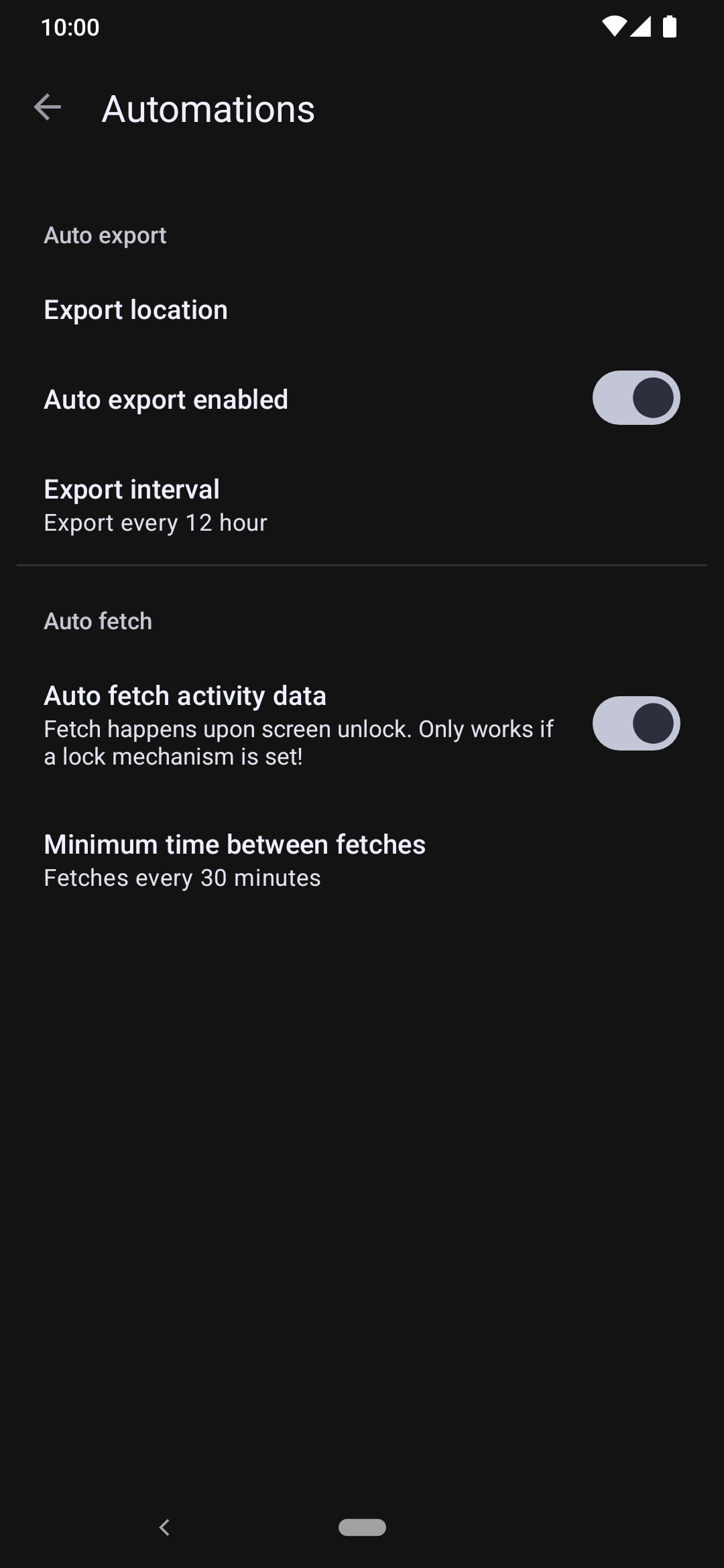
Setting up
ZIP export contains all data present in Gadgetbridge, including preferences and other files such as GPX tracks in a single ZIP file. You will need such export so it can be used to restore a full backup as described in Importing data.
And a Database export only includes the activities database as a SQLite file, and is not a full export of Gadgetbridge. Data such as preferences and GPX files will not be included.
Since a ZIP export covers all data that included in other exports, having ZIP backup solely is enough to restore Gadgetbridge when it has re-installed again or when switching to another phone.
But in any case, you may still wish to enable auto-exporting GPX tracks, FIT files or database individually, and set different paths for all of these, so it may come useful when using with third party apps that imports files from directories.
ZIP and database exports happen in given intervals. To test auto-export if it is working, you can trigger an auto-export at any time by clicking the "Run AutoExport now" button.
Auto GPX export
Auto GPX export allows you to automatically export a GPX track when a new GPS activity is synced from your devices.
You can select the export directory, as well as select for which devices the GPX tracks will be exported.
Auto FIT export
Auto FIT export allows you to automatically export a FIT file when a new activity is synced from your devices. Unlike GPX export, this should allow for any activity to be exported, even without a GPS track.
For devices that provide their own raw .fit file (Garmin, iGPSPORT) the original file is exported unchanged; for others a FIT file is synthesized from the parsed workout data - including Xiaomi, Garmin, Huami/Amazfit, Huawei, CMF and Bangle.js devices. Read more about FIT files.
You can select the export directory, as well as select for which devices the FIT tracks will be exported.